VelocityBlog
Proxmox Virtual Environment – a practical guide for Australian small & medium businesses
Updated: December 18, 2025
Published: December 18, 2025
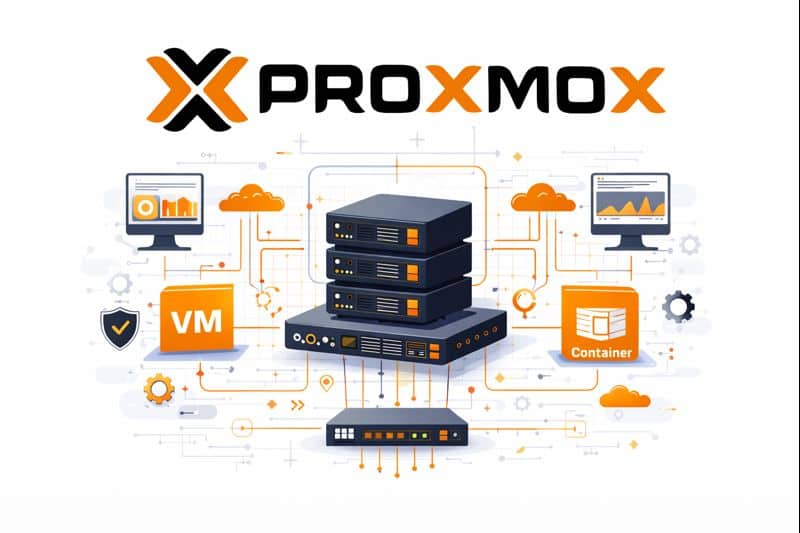
Proxmox Virtual Environment (Proxmox VE) is an open-source, Debian-based virtualisation platform that combines full virtual machines (KVM/QEMU) and lightweight Linux containers (LXC) behind a single web-based management interface. Proxmox bundles clustering, high-availability (HA), software-defined storage options (including Ceph), networking and built-in backup tooling, making it a full stack that’s attractive to businesses that want strong control over their infrastructure without the large licensing costs that are typically attached.
Below, I’ll explain how Proxmox compares to the most common alternatives (VMware vSphere/ESXi, Microsoft Hyper-V, Nutanix AHV and Citrix/XCP-ng), show an easy-to-read comparison table, and finish with practical recommendations for Australian SMBs.
Quick summary – where Proxmox shines
- Cost & transparency: Proxmox is free to download and use; paid subscriptions are optional and add access to enterprise repositories and vendor support. That makes it attractive where licensing budgets are tight.
- Flexibility: Because Proxmox is Linux-based (Debian) and uses KVM + LXC, Proxmox plays nicely with a wide range of hardware and open-source tooling.
- All-in-one: One web UI manages VMs, containers, storage, clustering and backups – useful for lean IT teams who want to avoid gluing multiple products together.
How Proxmox compares to other platforms
Proxmox vs VMware vSphere / ESXi
VMware is the market-leader for enterprise virtualisation with a mature ecosystem (vCenter, NSX, vSAN, tight vendor certification). That enterprise polish brings higher cost and vendor lock-in. Proxmox provides many of the same core capabilities (VM life-cycle, clustering, HA, snapshots, software-defined storage options) but with an open model and far lower entry costs. For SMBs that don’t require VMware’s advanced ecosystem, Proxmox can deliver similar day-to-day value while keeping licensing predictable.
Proxmox vs Microsoft Hyper-V
Hyper-V is tightly integrated with Windows Server and the Microsoft ecosystem – great for organisations heavily invested in Active Directory, System Center or Azure. Proxmox is platform-agnostic and excels when you want strong Linux/container support or greater control over storage backends. Hyper-V may be simpler for Windows-only shops; Proxmox is a stronger pick for mixed Linux/Windows workloads or where open-source tooling is preferred.
Proxmox vs Nutanix AHV
Nutanix AHV is part of a hyperconverged, enterprise offering with heavy automation, data locality and certified hardware stacks. It’s engineered for scale, predictable performance and enterprise support — at an enterprise price. Proxmox can be combined with Ceph and commodity hardware to achieve resilient storage and scale-out designs, but it requires more hands-on design and operations. For larger organisations with strict SLAs and a preference for a single-vendor HCI solution, Nutanix is compelling; for cost-conscious SMBs that can tolerate more DIY solutions, Proxmox delivers much of the same capability for a fraction of the cost.
Proxmox vs Citrix/XCP-ng (and other KVM/Xen options)
XCP-ng and Citrix Hypervisor are solid, open alternatives focused on performance and VDI use cases. Proxmox’s advantage is the unified web UI and integrated container support (LXC) plus tight integration with Proxmox Backup Server and Ceph. Choice often comes down to specific workload needs and team familiarity.
Cost considerations
Proxmox allows you to run production without paying per-CPU licenses – you pay only if you want enterprise repositories and vendor support. That can materially reduce ongoing costs for SMBs, especially compared with VMware’s licensing. However, remember that “free” software still has operational costs: staff time, backups, monitoring and potentially third-party support if you prefer SLA guarantees.
Practical recommendations for Australian SMBs
- If you need low TCO and control, Choose Proxmox. It’s cost-effective and flexible (good fit when you have Linux skills or a managed service partner). Combine with Proxmox Backup Server and Ceph (or SAN/NAS) for a resilient stack.
- If you’re Microsoft-centric: Use Hyper-V for tight integration with AD and Azure, especially if you already have Windows Server licensing.
- If you need enterprise SLAs and hardware-certified HCI: Consider VMware or Nutanix, but budget for higher licensing and support costs.
- Local support: For mission-critical workloads, weigh the value of local Australian managed service providers who can operate Proxmox for you (so you get low licensing cost plus SLA-backed operations).
Proxmox VE is an attractive virtualisation platform for Australian SMBs because it offers enterprise-capable features at a far lower licensing cost, and with a strong focus on open tooling and containers. It isn’t a “plug-and-forget” turnkey HCI appliance like Nutanix, and it lacks some of the advanced enterprise integrations of VMware — but for many small and medium businesses that want value, flexibility and control, Proxmox is an excellent choice.
Email Us to see how we can help...

Gerardo Altman, Director of Problem Solving
With over 25 years’ experience in the IT industry, Gerardo Altman is a key solutions architect and MD of Velocity Host, with a love for Tetris and complex puzzles of every nature you'll find me hard at work doing what I do best – finding solutions.
Nextcloud Pricing in Australia: The Real Cost Guide
This guide separates the three, prices each one as accurately as public information allows, and compares the real total cost against Microsoft 365, Google Workspace and ownCloud. We flag anywhere a figure needs checking at the time you read this, because software prices move. Talk to us about managed Nextcloud…
Nextcloud Features & Apps: Complete Guide for Australian Businesses
There is a common assumption among Australian business owners that Nextcloud is a lightweight alternative to Microsoft 365 or Google Workspace, useful for basic file storage but not a serious contender for day to day business collaboration. That assumption no longer holds up. The platform has matured into a full…
Nextcloud Hosting Australia: VPS, Self-Hosted and Managed Options
What Is Nextcloud? Nextcloud is an open-source platform for file storage, synchronisation and collaboration. Rather than simply providing online storage, it can bring files, calendars, contacts, chat, video conferencing and collaborative document editing together in one environment. Nextcloud’s platform overview provides more detail on the platform and its collaboration capabilities.…
Nextcloud Auditing: A Complete Guide to Nextcloud Audit Logs
If a staff member left tomorrow, could your business say exactly which client files they opened in their final month? Not just what they changed, but what they viewed, downloaded or shared, and when? For most Australian businesses, the honest answer is no. That gap is exactly what the nextcloud…
Don’t Pay for SEO (Unless You Are Able To Do These Things)
Most Australian small business owners who come to us with high expectations for SEO. Our SEO campaigns are capable of delivering leads, but the success of a campaign also depends on whether your business is operationally ready to make the most of the enquiries and visibility that SEO generates. VelocityHost…