VelocityBlog
Cloud Based Server Backup Solutions: The Complete Guide for Australian Businesses
Updated: May 11, 2026
Published: May 11, 2026
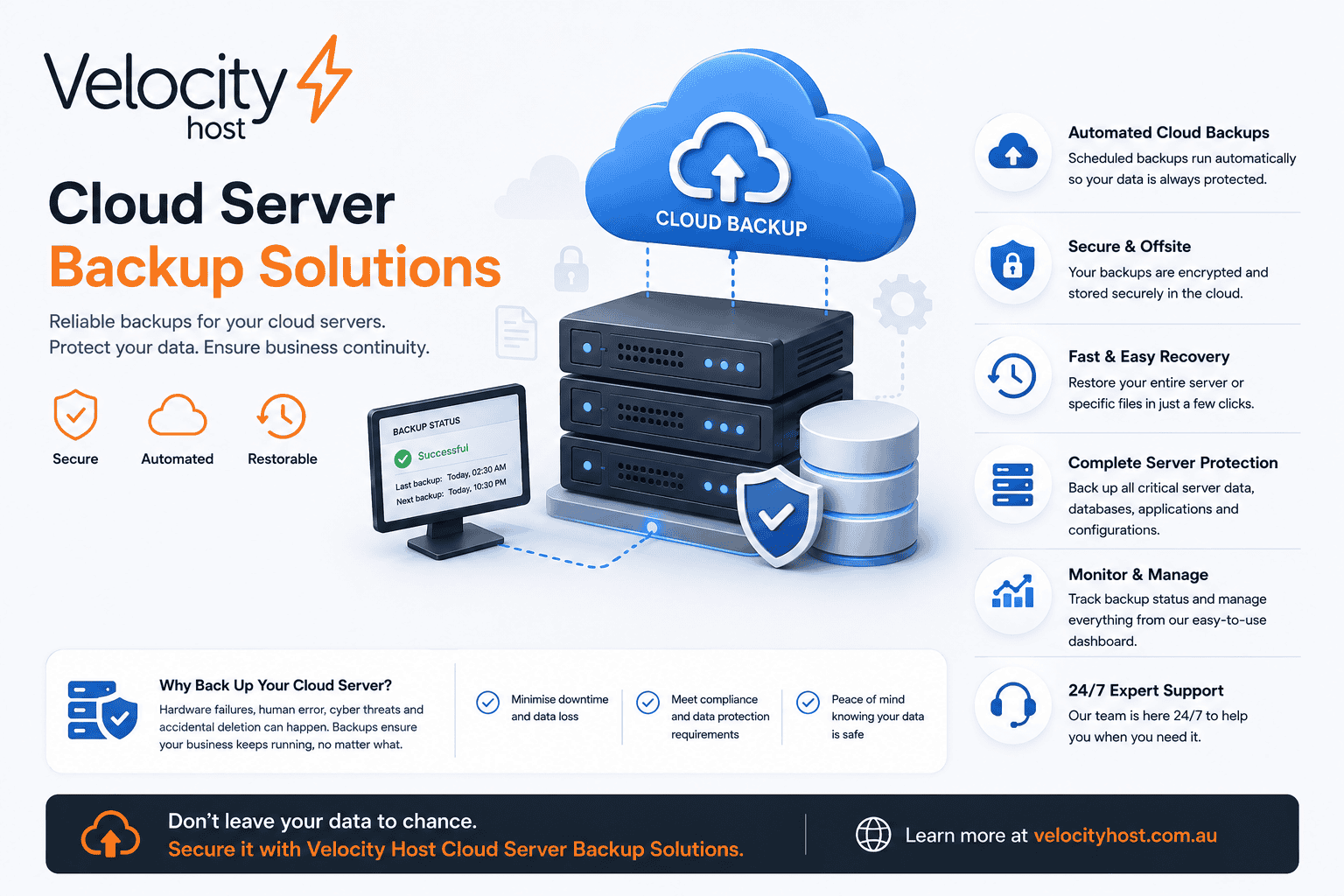
Every business that relies on digital infrastructure operates with a risk that most people prefer not to think about: what happens when the server goes down and the data is gone? Ransomware, hardware failure, accidental deletion, fire, flood. These issues happen to real businesses every week, and the organisations that survive them are almost always the ones who had cloud based server backup solutions in place before the crisis arrived.
This article covers everything you need to know about cloud based backup solutions for servers – how they work, what types are available, which tools are worth considering, and how to choose the right approach for your organisation. Whether you manage a single server or a complex multi-site environment, the same principles here apply.
What Are Cloud Based Backup Services?
Cloud based backup services are systems that copy data from your servers, workstations, or storage devices to a remote location over the internet, typically to a data centre operated by a hosting or managed services provider. Unlike local backups that store copies on the same site (and therefore share the same physical risks), cloud backup places your data off-site, where it remains accessible even if your primary location is completely destroyed.
At their core, cloud backup services work by taking an initial full copy of your data, then periodically capturing changes (known as incremental or differential backups) and transmitting them securely to the cloud. When you need to restore, the service reconstructs your data from those stored snapshots.
Modern cloud based server backup services offer features such as encryption in transit and at rest, versioning (so you can recover a file from three weeks ago, not just yesterday), deduplication to reduce storage costs, and automated scheduling so backups happen without human intervention.
What distinguishes a cloud backup from simple cloud storage (like a shared drive) is the emphasis on recovery. A backup solution is designed to make restoration fast, reliable, and complete. Storage is designed for access. The two are complementary but not interchangeable.
Can You Use a Cloud Server to Back Up Your Data?
Yes, and in most business contexts, using a cloud server for backup is best practice. A cloud server provides the remote storage layer that makes off-site backup viable without the expense and complexity of maintaining your own secondary data centre.
There are several ways to use a cloud server as a backup destination:
Direct server-to-cloud backup sends data from your on-premises server directly to cloud storage, typically via a backup agent installed on the server. Tools like Duplicati (open source), Rclone (open source), and Veeam support this model and can target a range of cloud storage backends.
NAS-to-cloud backup uses a network-attached storage device as an intermediate layer, aggregating backups from multiple machines before pushing them to the cloud. TrueNAS supports cloud sync tasks natively, making this a practical approach for businesses that already have on-premises storage.
Agent-based cloud backup installs a lightweight client on each server to be protected, with the cloud service handling scheduling, compression, encryption, and storage management centrally. This is the approach used by many enterprise-grade solutions and by VelocityHost’s open source cloud backup service.
Snapshot and replication approaches are common in virtualised environments. Proxmox, for instance, can create VM snapshots and replicate them to remote storage, providing a recovery point that captures the entire virtual machine state.
The answer to whether a cloud server can back up your data is therefore not just yes, but: it is probably the most sensible way to do it, particularly for businesses that lack the resources to operate their own secondary data centre.
What Are the 4 Types of Cloud Storage?
Understanding the four main types of cloud storage helps clarify what kind of backup architecture is appropriate for your environment and budget.
1. Object Storage
Object storage is the most common back end for cloud based backup solutions. Data is stored as discrete objects (files, blobs, or chunks) each with a unique identifier, metadata, and the data itself. It is highly scalable, cost-effective at large volumes, and well-suited to storing backup archives. Most open source backup tools, including Borg, Rclone, and Duplicati can target object storage directly. It is not designed for low-latency random access, which makes it ideal for archival backup rather than active data.
2. Block Storage
Block storage divides data into fixed-size blocks and addresses each block individually, similar to how a physical hard drive works. It delivers low latency and high throughput, making it suitable for databases, virtualised workloads, and applications that require consistent I/O performance. In backup contexts, block storage is often used as the primary storage layer for a backup appliance or server, with data then pushed to cheaper object storage for long-term retention.
3. File Storage (Network File System)
File storage presents data as a traditional file system hierarchy, accessible via protocols like NFS or SMB/CIFS. It is familiar, easy to integrate with existing tools, and well-suited to environments where backup software needs to read and write files in a conventional way. Many backup agents and open source tools interface with cloud-based file storage using Rclone or Syncovery to bridge the gap between local file systems and cloud backends.
4. Archive Storage
Archive storage (sometimes called cold storage or deep archive) is optimised for data that is rarely accessed but must be retained, often for compliance reasons. It is the least expensive form of cloud storage but retrieval times are measured in hours rather than seconds. For most businesses, archive storage is not the right primary backup destination, you want your backups accessible quickly in a recovery scenario — but it is a cost-effective tier for retaining older recovery points that you are unlikely to need.
A well-designed backup strategy typically uses a combination of these storage types: block or file storage for recent backups that need fast recovery, object storage for medium-term retention, and archive storage for long-term compliance retention.
The 3-2-1 Backup Rule: Still the Best Starting Point
The 3-2-1 backup rule is a widely accepted baseline for data protection. It states that you should maintain three copies of your data, on two different types of media, with one copy stored off-site.
Cloud based server backup solutions are what make the off-site requirement achievable for organisations that do not have a secondary physical location. Rather than shipping tapes to a storage vault (a practice that is still used in some regulated industries), you can continuously replicate your backups to a secure cloud data centre.
For Australian businesses, the off-site requirement has a specific implication: where is that cloud data centre located, and is your data subject to Australian law? Storing data with a provider whose infrastructure sits in the United States or Europe introduces data sovereignty considerations that may conflict with Australian Privacy Act obligations or industry-specific regulations. VelocityHost stores all backup data in Australia, in the country’s only commercial Tier 4 data centre, ensuring that your data remains under Australian jurisdiction and subject to local privacy law.
Open Source Cloud Backup Tools for Servers
Open source backup software has matured significantly. The tools available today are enterprise-capable, actively maintained, and in many cases offer features that compare favourably with commercial alternatives. Here is an overview of the most widely used options.
BorgBackup (Borg)
BorgBackup is a deduplicating backup program that supports compression and authenticated encryption. It is designed for Unix-like systems and is particularly well-regarded for server backup workloads. Borg’s deduplication operates at the chunk level, meaning it only stores unique data segments – so even if 90% of a file is unchanged from the previous backup, only the changed 10% consumes new storage space.
Borgmatic, a companion tool, simplifies the configuration and automation of Borg backups, making it practical to manage multiple servers from a single configuration file.
Rclone
Rclone describes itself as “the Swiss Army knife of cloud storage.” It supports syncing, copying, and mounting over 70 cloud storage providers and protocols, and is an excellent tool for pushing backup data to cloud destinations or synchronising between storage tiers. Rclone supports encryption, bandwidth limiting, and can be integrated with other backup tools as the transport layer.
Duplicati
Duplicati is an open source backup client with a web-based user interface that makes it accessible to users who are not comfortable with the command line. It supports AES-256 encryption, deduplication, and a wide range of cloud storage backends. Duplicati is particularly well-suited to Windows and Linux servers where an operator wants a graphical tool for managing backup schedules and monitoring job status.
Proxmox Backup Server
Proxmox Backup Server is an enterprise-grade open source solution designed specifically for backing up virtual machines, containers, and physical hosts. It integrates natively with Proxmox VE, supports incremental backups, deduplication, and encryption, and provides a centralised management interface for backup and restore operations. For organisations running virtualised infrastructure on Proxmox, it is the natural choice.
Syncovery
Syncovery is a cross-platform backup and synchronisation tool that supports a broad range of protocols and cloud providers. It offers both scheduled one-way backup and continuous two-way synchronisation, making it flexible for environments where near-real-time replication is required alongside traditional backup.
Commercial and Hybrid Solutions
Open source tools are highly capable, but some organisations benefit from commercial solutions that provide centralised management, vendor support, and integration with complex enterprise environments.
Veeam
Veeam is one of the most widely deployed backup platforms in enterprise and mid-market environments. It offers deep integration with virtualisation platforms, physical server backup, cloud backup capabilities, and a single management console for heterogeneous environments. Veeam’s recovery capabilities are a particular strength: it supports instant VM recovery, application-aware processing for databases, and granular recovery of individual files or application items.
VelocityHost can integrate with Veeam-based backup architectures, providing the cloud storage layer and disaster recovery services that complement an existing Veeam deployment.
TrueNAS
TrueNAS (both the open source CORE edition and the enterprise-grade SCALE edition) provides on-premises storage with built-in ZFS-based backup capabilities, including snapshots, replication, and cloud sync tasks. For businesses that want a local backup layer as part of a broader cloud backup strategy, TrueNAS is an excellent foundation.
What Is the Best Cloud Server Backup Service for Your Business?
There is no single correct answer to this question, because the right cloud based server backup service depends on your environment, recovery objectives, compliance requirements, and budget. However, there are clear principles that guide the decision.
Define your recovery objectives first. Recovery Time Objective (RTO) is how quickly you need to be back online after a failure. Recovery Point Objective (RPO) is how much data loss you can tolerate — i.e., how far back in time your oldest acceptable recovery point is. A business that can tolerate a four-hour outage and one hour of data loss has very different requirements from one that needs sub-minute recovery.
Consider your data types. File servers, databases, virtualised workloads, and physical servers each have different backup requirements. A solution that handles file backup well may not provide the application-aware consistency guarantees needed for a production SQL or Exchange server.
Evaluate data sovereignty. For Australian businesses, this means choosing a provider who stores your data in Australia. VelocityHost’s backup infrastructure is housed in Australia’s only commercial Tier 4 data centre, meaning your data never leaves Australian jurisdiction. This is not a minor consideration, it is a compliance and risk management requirement for many industries.
Assess support requirements. Open source tools are capable but require expertise to configure and maintain. If your team lacks that expertise, a managed cloud backup service, where the provider handles configuration, monitoring, and incident response removes significant operational risk. VelocityHost’s managed IT support services can provide this layer.
Test your backups. This is the most commonly neglected aspect of any backup strategy. A backup that has never been tested is not a backup — it is a hope. Regular restore tests, documented recovery procedures, and periodic disaster recovery drills are what transform a backup solution into genuine business resilience. VelocityHost includes monthly data integrity checks as part of its cloud backup service, but restore testing should also be conducted at the application level.
Data Sovereignty and Australian Businesses
Data sovereignty refers to the concept that data is subject to the laws and governance structures of the nation in which it is stored. For Australian businesses, this is particularly important in the context of the Privacy Act 1988 and the Australian Privacy Principles, which govern how personal information is collected, stored, and handled.
Storing data with a provider whose infrastructure is located overseas can create compliance complexity, particularly if that country’s laws permit government access to data stored by companies operating there. The US CLOUD Act, for example, can compel US-based providers to produce data stored anywhere in the world, including in Australia.
Choosing an Australian provider that stores data in Australian data centres, as VelocityHost does removes this ambiguity. Your data remains in Australia, subject to Australian law, and the provider’s obligations are clearly governed by local regulation. For healthcare providers, financial services firms, and government agencies in particular, this is not optional.
Managed O365 and Cloud Application Backups
It is a common misconception that Microsoft 365 backs up your data. Microsoft provides service availability, the infrastructure stays online but it does not provide a comprehensive backup and recovery service. If an employee accidentally deletes a mailbox, a ransomware attack encrypts SharePoint content, or data is maliciously deleted, Microsoft’s native retention features may not be sufficient to recover what you need.
Managed O365 backup from VelocityHost provides genuine protection for Microsoft 365 data — including Exchange Online, SharePoint, OneDrive, and Teams — with granular recovery options and Australian data residency.
Disaster Recovery vs. Backup: Understanding the Difference
Backup and disaster recovery are related but distinct disciplines. Backup is the process of capturing and storing copies of data. Disaster recovery is the broader capability to restore business operations — including systems, applications, and data following a major disruption.
A solid cloud backup strategy is a necessary component of disaster recovery, but it is not sufficient on its own. You also need documented recovery procedures, tested runbooks, defined roles and responsibilities, and in many cases, standby infrastructure that can be activated quickly. VelocityHost’s disaster recovery services address this broader scope, helping organisations move from “we have backups” to “we can recover.”
Frequently Asked Questions
Can you use a cloud server to back up your data?
Yes. A cloud server provides remote storage that you can use as a backup destination, either directly from your on-premises servers or through a managed backup service. Tools like Borg, Rclone, Duplicati, Veeam, and Proxmox Backup Server all support cloud storage backends. The key considerations are encryption (to protect data in transit and at rest), the geographic location of the cloud server (for data sovereignty), and the reliability of the provider’s infrastructure. VelocityHost operates its backup infrastructure in Australia’s only commercial Tier 4 data centre, providing the uptime and resilience appropriate for production backup workloads.
What are cloud based backup services?
Cloud based backup services copy your data – from servers, workstations, or NAS devices to remote cloud storage, typically on an automated schedule. They provide off-site protection against local disasters, hardware failures, ransomware, and accidental deletion. Features typically include encryption, deduplication (to reduce storage costs), versioning (so you can recover older versions of files), and centralised management. Some services are self-managed, where you configure and operate the backup software yourself. Others are fully managed, where the provider handles everything including monitoring and incident response.
What are the 4 types of cloud storage?
The four main types of cloud storage are object storage, block storage, file storage, and archive storage. Object storage is the most common backup backend — scalable, cost-effective, and suitable for large volumes of backup data. Block storage provides low-latency access suitable for databases and virtualised workloads. File storage presents data as a conventional file hierarchy accessible via NFS or SMB, making it easy to integrate with existing tools. Archive storage is the lowest-cost option, designed for infrequently accessed data retained for compliance purposes, but with retrieval times measured in hours. Most backup strategies use a combination of these tiers.
What is the best cloud server backup service?
The best cloud server backup service for a given organisation depends on its recovery time objectives, recovery point objectives, data types, compliance requirements, and budget. For Australian businesses, data sovereignty is a critical factor: your backup provider should store data in Australia, subject to Australian law. Open source tools like Borg, Rclone, and Duplicati offer excellent capability at low cost for teams with the expertise to manage them. Managed services from providers like VelocityHost add operational support, monitoring, and guaranteed infrastructure quality. Veeam is a strong choice for complex virtualised environments. TrueNAS is well-suited to organisations that want an on-premises primary backup layer feeding into cloud storage.
How do I know my backups are working?
The only reliable way to know your backups are working is to test them. Schedule regular restore tests — at minimum quarterly, ideally monthly for critical data — and document the results. Verify that you can restore individual files, full server images, and application data (databases, email, etc.) within your recovery time objective. Monitoring backup job completion is necessary but not sufficient; a job can complete successfully and still produce a corrupted or incomplete backup. VelocityHost performs monthly data integrity checks on stored backup data as part of its managed cloud backup service.
Is cloud backup suitable for servers running databases?
Yes, but it requires application-aware backup capabilities. Simply copying database files while the database is running often produces an inconsistent backup that cannot be reliably restored. Application-aware backup tools (including Veeam and Proxmox Backup Server) quiesce the application or use VSS snapshots to capture a consistent state before backing up. For open source approaches, tools like Borg can be combined with database dump scripts to produce consistent backups. VelocityHost’s managed IT support team can assist with designing a backup strategy appropriate for your database environment.
What is the difference between backup and disaster recovery?
Backup captures and stores copies of data so that it can be recovered after loss. Disaster recovery is the broader process of restoring business operations following a major incident — this includes not just data recovery but also restoring systems, applications, and network connectivity, and activating documented procedures to get the business functioning again. Backup is a prerequisite for disaster recovery, but disaster recovery also requires tested runbooks, defined recovery procedures, and often standby infrastructure. VelocityHost provides both cloud backup services and disaster recovery planning to help organisations build a complete recovery capability.
Do I need to back up Microsoft 365 data?
Yes. Microsoft provides service availability guarantees for Microsoft 365, but it does not provide comprehensive backup and recovery. Native retention and recycle bin features have limitations in terms of retention periods and the scope of what can be recovered. Ransomware attacks, accidental deletion, and malicious insider activity can all result in data loss that Microsoft’s native features cannot address. Managed O365 backup from VelocityHost protects Exchange Online, SharePoint, OneDrive, and Teams data with granular recovery options and Australian data residency.
How much does cloud backup storage cost?
Costs vary depending on the volume of data, the number of recovery points you retain, and the provider. VelocityHost’s open source cloud backup service is priced per gigabyte of storage with tiered pricing: 9 cents per GB for 1-5 TB, 7 cents per GB for 5-9 TB, and 5 cents per GB for 10 TB and above. There are no hidden data transfer fees. For reference, 1 TB of storage costs $90 per month (plus GST). Custom pricing is available for larger deployments. See the full details on the VelocityHost cloud backup page.
Summary
Cloud based server backup solutions have made robust, off-site data protection accessible to businesses of all sizes. The tools available today, from open source options like Borg, Rclone, and Duplicati, to enterprise platforms like Veeam and Proxmox Backup Server, to managed services from providers like VelocityHost cover every combination of budget, technical capability, and recovery requirement.
The non-negotiable elements are these: your backup data should be encrypted, stored off-site, regularly tested, and for Australian businesses, housed in Australian infrastructure subject to Australian law. VelocityHost’s cloud backup service, running in Australia’s only commercial Tier 4 data centre, provides all of these properties.
If your business does not yet have a cloud backup strategy in place, or if your existing approach has never been properly tested, the time to address that is before the failure happens. Contact VelocityHost to discuss a backup solution that fits your environment and recovery requirements.
Email Us to see how we can help...

When it comes to being found online "nobody does it better" specifically speaking SEO - Search Engine Optimisation. - Meet David the James Bond of SEO. He's got your number - we mean your search engine ranking No# 1. Did we mention David has a degree in I.T. & a Masters in Technology Management?
Nextcloud Auditing: A Complete Guide to Nextcloud Audit Logs
If a staff member left tomorrow, could your business say exactly which client files they opened in their final month? Not just what they changed, but what they viewed, downloaded or shared, and when? For most Australian businesses, the honest answer is no. That gap is exactly what nextcloud file…
Don’t Pay for SEO (Unless You Are Able To Do These Things)
Most Australian small business owners who come to us with high expectations for SEO. Our SEO campaigns are capable of delivering leads, but the success of a campaign also depends on whether your business is operationally ready to make the most of the enquiries and visibility that SEO generates. VelocityHost…
How to Backup NAS to Cloud Storage For Secure Data Protection
Protecting your Network Attached Storage (NAS) data is essential for any organisation that handles critical information. While NAS systems provide excellent local storage capabilities, combining them with cloud backup creates a robust defence against data loss, ransomware attacks, and hardware failures. This guide explains the best NAS backup strategy, explores…
Data Backup Best Practices: A Complete Guide for Australian Businesses
Every year, Australian businesses lose critical data to hardware failure, ransomware, accidental deletion, and natural disasters. In most cases, the damage is not caused by a lack of technology, but rather user error or a lack of processes. Without a documented & tested data backup strategy, even large organisations find…
Full vs Incremental vs Differential Backup: Understanding the Differences
For Australian business decision makers, selecting the right backup strategy is imperative. Understanding the difference between a full backup and an incremental backup, along with differential backup alternatives, determines how quickly your organisation recovers from data loss and how efficiently you use your storage resources. This comprehensive guide examines the three…