VelocityBlog
Cloud Backup Vs Cloud Storage for Australian Businesses
Updated: April 14, 2026
Published: March 17, 2026
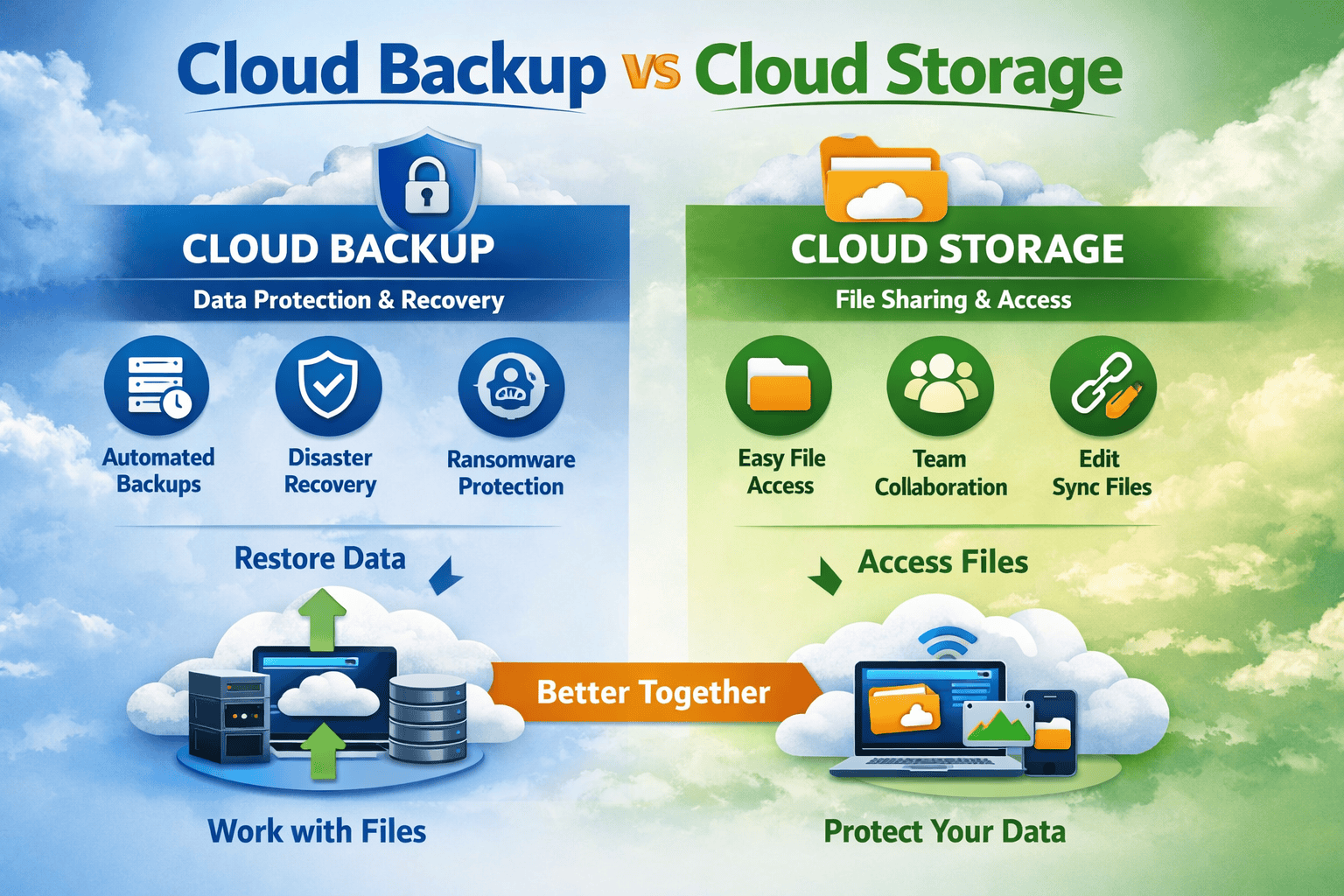
Australian small and medium businesses rely on cloud technology to store and manage their data. Popular services such as Google Drive, Dropbox, and Microsoft OneDrive have made it easy to access files from anywhere.
A common misconception is that cloud storage automatically protects your business data. In actuality, cloud storage and cloud backup serve very different purposes. Understanding the difference is essential for protecting your business from data loss, cyber attacks, and disruption.
What Is Cloud Storage?
Cloud storage is designed primarily for file accessibility and collaboration. It allows businesses to store documents online and access them from multiple devices or collaborate with team members.
For example, a team may use cloud storage to:
- Share marketing documents
- Collaborate on spreadsheets
- Store company files in a central location
- Access documents remotely via the internet
The key advantage of cloud storage is convenience. Files can be accessed and edited in real time, by multiple users simultaneously.
However, cloud storage is not designed as a complete data protection solution.
What Is Cloud Backup?
Cloud backup focuses on data protection and recovery. Rather than just storing files, a cloud backup system automatically creates secure copies of your data and stores them offsite.
If something goes wrong, such as a cyberattack, accidental deletion, or hardware failure, the backups allow you to restore systems and recover lost files.
Unlike cloud storage, backups typically run automatically in the background, ensuring data is continuously protected without relying on manual procedures.
For businesses, this means that your data is safe even if:
- A server fails
- A laptop is lost or stolen
- Files are accidentally deleted by users
- Ransomware encrypts your data
Cloud Backup vs Cloud Storage: Key Differences
| Feature | Cloud Storage | Cloud Backup |
| Purpose | File access and collaboration | Data protection and disaster recovery |
| Usage | Accessed daily | Used when restoring lost data |
| Process | Manual upload or sync | Automated backup processes |
| Data coverage | Selected files and folders | Entire systems, servers, or datasets |
| Security focus | Accessibility | Resilience and recovery |
In simple terms:
- Cloud storage helps you work with files.
- Cloud backup protects your business from losing files.
Cloud storage often acts as the primary working environment, while cloud backup acts as a secondary copy of data that is stored separately.
Why Cloud Storage Alone Isn’t Enough
Many businesses assume that if their files are stored in the cloud, they are automatically safe. Unfortunately, this is not always the case.
Cloud storage platforms typically sync files between devices. If a file is deleted or infected by malware, that change will be synchronised across all locations.
That means:
- Deleting a file locally may delete it in the cloud
- Ransomware can encrypt synced files
- Accidental changes may overwrite important documents
Without a proper backup solution, recovering your data might be impossible.
For small and medium businesses, the consequences of data loss can include:
- Operational downtime
- Lost customer data
- Compliance risks
- Financial loss
Why Cloud Backup Is Critical for Australian SMBs
Data is one of the most valuable assets for a business. Customer records, financial information, project files, and intellectual property all rely on secure storage.
A cloud backup solution provides several advantages:
Automated protection
Backups run continuously or on a scheduled basis, removing the risk of human error.
Disaster recovery
If your systems fail, backups allow you to restore data quickly and minimise downtime.
Cybersecurity protection
Backup systems often include encryption and versioning, enabling recovery after ransomware attacks.
Offsite redundancy
Storing backups offsite protects your business against physical disasters such as fires, floods, or theft.
For Australian businesses increasingly dependent on digital systems, cloud backup is now considered a core part of a modern IT strategy.
The Best Approach: Storage and Backup Together
Cloud storage and cloud backup are not competing technologies, they complement eachother.
A typical business setup may be:
- Staff collaborate using cloud storage platforms
- Critical systems and data are automatically backed up to secure cloud infrastructure
This layered approach ensures businesses get both productivity and protection.
Secure Your Business Data with Velocity Host
If your business relies on cloud services but lacks a dedicated backup solution, it may be time to strengthen your data backup strategy.
Velocity Host provides a powerful open source cloud backup platform designed for Australian businesses.
This service offers:
- Secure off-site backups in Australia’s only Tier 4 data centre
- Strong encryption and data protection
- Scalable storage for growing businesses
- Reliable disaster recovery capability
- Infrastructure & IT support based in Australia
https://velocityhost.com.au/business-it-solutions/open-source-cloud-backup/
With the right backup strategy in place, your business can operate confidently knowing that critical data is protected, even when the unexpected happens.
Email Us to see how we can help...

Gerardo Altman, Director of Problem Solving
With over 25 years’ experience in the IT industry, Gerardo Altman is a key solutions architect and MD of Velocity Host, with a love for Tetris and complex puzzles of every nature you'll find me hard at work doing what I do best – finding solutions.
Nextcloud Pricing in Australia: The Real Cost Guide
This guide separates the three, prices each one as accurately as public information allows, and compares the real total cost against Microsoft 365, Google Workspace and ownCloud. We flag anywhere a figure needs checking at the time you read this, because software prices move. Talk to us about managed Nextcloud…
Nextcloud Features & Apps: Complete Guide for Australian Businesses
There is a common assumption among Australian business owners that Nextcloud is a lightweight alternative to Microsoft 365 or Google Workspace, useful for basic file storage but not a serious contender for day to day business collaboration. That assumption no longer holds up. The platform has matured into a full…
Nextcloud Hosting Australia: VPS, Self-Hosted and Managed Options
What Is Nextcloud? Nextcloud is an open-source platform for file storage, synchronisation and collaboration. Rather than simply providing online storage, it can bring files, calendars, contacts, chat, video conferencing and collaborative document editing together in one environment. Nextcloud’s platform overview provides more detail on the platform and its collaboration capabilities.…
Nextcloud Auditing: A Complete Guide to Nextcloud Audit Logs
If a staff member left tomorrow, could your business say exactly which client files they opened in their final month? Not just what they changed, but what they viewed, downloaded or shared, and when? For most Australian businesses, the honest answer is no. That gap is exactly what the nextcloud…
Don’t Pay for SEO (Unless You Are Able To Do These Things)
Most Australian small business owners who come to us with high expectations for SEO. Our SEO campaigns are capable of delivering leads, but the success of a campaign also depends on whether your business is operationally ready to make the most of the enquiries and visibility that SEO generates. VelocityHost…